How does Alexa assist your home with daily tasks and automation? Amazon’s Alexa voice assistant can control smart devices, manage schedules, provide information, and streamline household routines through simple voice commands. This comprehensive guide from the smart home experts at WaveTechGlobal shows you exactly how to set up and optimize Alexa for maximum home assistance.
What Can Alexa Do in Your Smart Home?
Alexa transforms ordinary homes into intelligent living spaces by connecting and controlling compatible devices. The WTGSmartHome smart gadgets team at WaveTechGlobal has tested dozens of Alexa-enabled setups to identify the most practical applications.
Primary Alexa home assistance features:
- Voice-controlled lighting and climate systems
- Smart lock and security camera management
- Entertainment system control
- Shopping list and reminder creation
- News briefings and weather updates
- Smart appliance operation
- Routine automation for common tasks
Step 1: Choose Your Alexa Device
Choose Your Alexa Device for Optimal Home Assistance
Which Alexa device is best for home assistance? Device selection depends on room dimensions, desired audio quality, smart home hub requirements, and specific use case scenarios. The WaveTechGlobal testing team has evaluated every Echo generation to provide data-driven recommendations.
Alexa Device Comparison Table
| Device | Best For | Smart Hub | Audio Quality | Display | Price Range | WTG Rating |
| Echo Dot (5th Gen) | Bedrooms, bathrooms, small spaces | No | Good | No | $30-50 | 4.2/5 |
| Echo (4th Gen) | Living rooms, kitchens | Yes (Zigbee) | Excellent | No | $80-100 | 4.7/5 |
| Echo Show 8 (3rd Gen) | Kitchens, offices, bedside | No | Very Good | 8″ HD | $130-150 | 4.6/5 |
| Echo Show 10 (3rd Gen) | Large kitchens, offices | Yes (Zigbee) | Premium | 10″ HD rotating | $220-250 | 4.5/5 |
| Echo Studio | Home theaters, music rooms | Yes (Zigbee) | Audiophile | No | $180-200 | 4.8/5 |
| Echo Pop | Dorm rooms, tight spaces | No | Basic | No | $20-40 | 3.9/5 |
Echo Dot (5th Gen) – Budget-Friendly Entry Point
Perfect for smart home beginners or expanding existing Alexa networks. The compact design fits anywhere, while improved audio over previous generations delivers clear voice responses. Ideal placement includes bedrooms for alarm and sleep timer functions, bathrooms for hands-free timers and music, and hallways for intercom communication.
WaveTechGlobal Pro Tip: Purchase Echo Dot multi-packs during Amazon sales events for whole-home coverage at 30-40% savings.
Echo (4th Gen) – Best Overall Value
The mid-range Echo balances superior audio performance with built-in Zigbee smart home hub functionality, eliminating the need for separate hubs for compatible devices. Premium 360-degree sound fills medium to large rooms, while the integrated hub connects Philips Hue, Sengled, and other Zigbee devices directly.
Key advantage: Handles both entertainment and smart home control duties without requiring additional hardware investments.
Step 2: Download and Configure the Alexa App
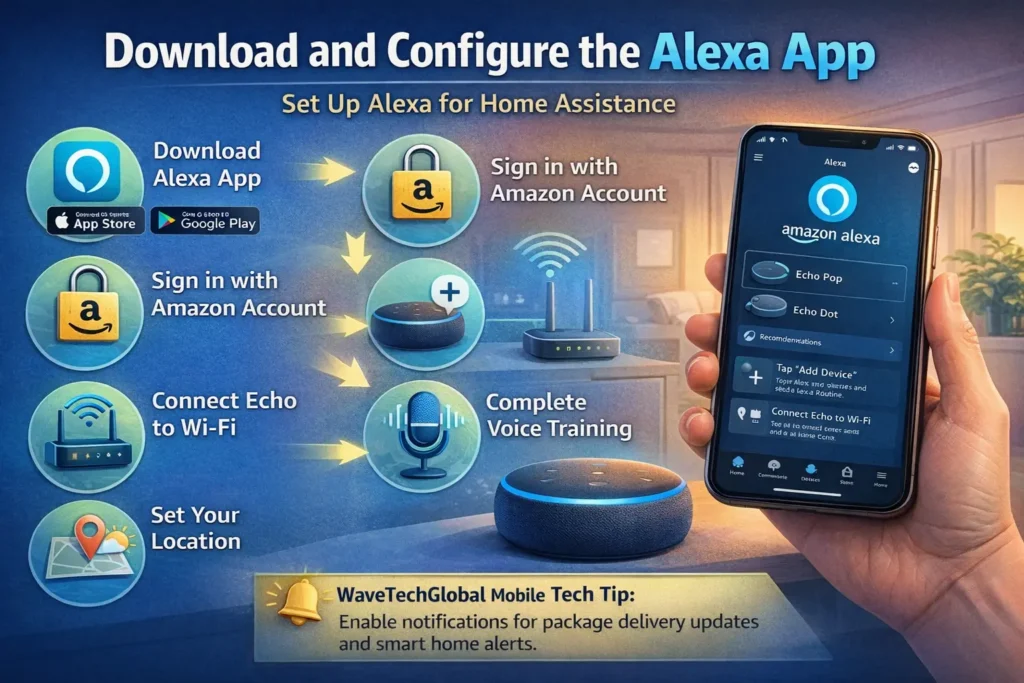
How do you set up Alexa for home assistance? The Amazon Alexa mobile app guides you through initial configuration and device management.
Setup process:
- Download Amazon Alexa app from App Store or Google Play
- Sign in with your Amazon account credentials
- Tap “Add Device” and select your Echo model
- Connect Echo to your Wi-Fi network
- Complete voice training for personalized recognition
- Set your location for accurate weather and local information
WaveTechGlobal mobile tech tip: Enable notifications for package delivery updates and smart home alerts through the mobile app settings.
Step 3: Connect Smart Home Devices
What smart devices work with Alexa? Thousands of compatible products from major manufacturers integrate seamlessly with Alexa home assistance systems.
Popular smart device categories:
Smart Lighting – Philips Hue, LIFX, Sengled bulbs for voice-controlled illumination. Say “Alexa, dim the living room lights to 50%” for instant adjustment.
Smart Thermostats – Nest, Ecobee, Honeywell thermostats enable temperature control via voice. “Alexa, set temperature to 72 degrees” adjusts climate automatically.
Smart Locks – August, Yale, Schlage locks provide voice-activated security. “Alexa, is the front door locked?” confirms home security status.
Smart Plugs – TP-Link, Wemo, Amazon Smart Plug converts standard appliances into voice-controlled devices. Perfect for lamps, fans, and small appliances.
Smart Cameras – Ring, Arlo, Blink cameras integrate with Alexa for voice-activated monitoring. “Alexa, show me the front door camera” displays a live feed on Echo Show devices.
Step 4: Create Alexa Routines for Automation
How do Alexa routines enhance home assistance? Routines automate multiple actions with single commands or scheduled triggers, streamlining daily activities.
Essential routine examples from WaveTechGlobal smart home experts:
Morning Routine – Trigger: “Alexa, good morning”
- Turn on bedroom lights gradually
- Start coffee maker (with smart plug)
- Read weather forecast and calendar events
- Play news briefing
Leaving Home Routine – Trigger: “Alexa, I’m leaving”
- Turn off all lights
- Adjust thermostat to energy-saving temperature
- Lock smart locks
- Arm security cameras
Bedtime Routine – Trigger: “Alexa, goodnight”
- Turn off all lights except bedroom
- Set bedroom lights to 20% brightness
- Play relaxing sounds for 30 minutes
- Set morning alarm
Working From Home Routine – Trigger: “Alexa, start workday”
- Turn on office lights
- Adjust thermostat to comfortable temperature
- Play focus music playlist
- Start timer for first work session
Step 5: Optimize Alexa Skills and Features
What are Alexa skills? Skills are third-party applications that extend Alexa’s capabilities beyond basic functions. The WaveTechGlobal tech gurus recommend these essential skills.
Productivity Skills:
- AnyList for collaborative shopping lists
- Todoist for task management
- MyFitnessPal for nutrition tracking
- Sleep Sounds for better rest
Smart Home Skills:
- IFTTT for advanced automation
- SmartThings for Samsung device integration
- Harmony for universal remote control
- Roomba for robotic vacuum operation
Entertainment Skills:
- Spotify, Apple Music, Amazon Music for streaming
- Audible for audiobooks
- TuneIn for radio stations
- Jeopardy and trivia games
Step 6: Advanced Home Assistance Features
Multi-Room Audio – Group Echo devices for synchronized music playback throughout your home. Create zones for different floors or areas.
Drop In and Announcements – Use Echo devices as intercoms. “Alexa, announce dinner is ready” broadcasts to all Echo devices simultaneously.
Voice Shopping – Add items to Amazon cart with voice commands. Enable voice purchasing for quick reordering of frequently purchased items.
Guard Mode – When away, Alexa listens for smoke alarms, CO detectors, and glass breaking, sending alerts to your phone.
Troubleshooting Common Alexa Issues
Problem: Alexa doesn’t respond to commands
- Check Wi-Fi connection strength
- Verify Alexa app shows device as online
- Restart Echo device by unplugging for 30 seconds
- Ensure wake word is set correctly in app settings
Problem: Smart devices won’t connect
- Confirm device compatibility with Alexa
- Check if device firmware is updated
- Re-discover devices in Alexa app
- Disable and re-enable device skill
Problem: Voice recognition accuracy issues
- Complete voice training in Alexa app settings
- Reduce background noise during commands
- Speak clearly at normal volume
- Move Echo away from walls and corners
Privacy and Security Best Practices
How do you protect privacy with Alexa home assistance? Implementing security measures ensures safe operation of your smart home system.
Privacy recommendations from WaveTechGlobal:
- Review and delete voice recordings regularly in Alexa app
- Disable purchasing by voice or require confirmation code
- Use mute button when discussing sensitive information
- Enable two-factor authentication on Amazon account
- Create guest accounts for visitors
- Review connected skills and remove unused ones
Integration with Other Ecosystems
Apple HomeKit – While Alexa and Apple’s system are separate, many devices support both platforms. Working from home with Apple devices? Use HomePod for Apple ecosystem and Echo for Alexa-exclusive features.
Google Home – Similar to Apple, some smart devices work with both Alexa and Google Assistant, allowing flexibility in voice control options.
Samsung SmartThings – Excellent integration with Alexa enables control of hundreds of compatible devices through either SmartThings app or voice commands.
Cost Considerations for Alexa Home Assistance
Initial Investment:
- Echo devices: $30-$200 depending on model
- Smart bulbs: $10-60 per bulb
- Smart plugs: $10-25 each
- Smart thermostat: $120-250
- Smart locks: $150-300
Ongoing Costs:
- Music streaming subscriptions (optional): $10-15/month
- Cloud storage for cameras (optional): $3-10/month per camera
- No subscription required for basic Alexa functionality
Recommended Smart Home Setups by Budget
Starter Setup ($150-250) – WaveTechGlobal Budget Recommendation
- Echo Dot (5th Gen)
- 2-3 smart plugs
- Smart bulb starter kit
- Begin with basic voice control and routines
Mid-Range Setup ($500-800) – WaveTechGlobal Balanced Recommendation
- Echo (4th Gen) for main room
- Echo Dot for bedroom
- 4-6 smart bulbs
- Smart thermostat
- 3-4 smart plugs
- Video doorbell
| Setup Type | Estimated Cost | Best For | Included Devices |
| Starter Smart Home | $150–$250 | Beginners | Echo Dot, smart plugs, bulbs |
| Mid-Range Smart Home | $500–$800 | Families | Echo + bulbs + thermostat |
| Advanced Smart Home | $1500–$2500 | Full automation | Locks, cameras, blinds |
This pricing helps homeowners plan a budget-friendly smart home setup.
Advanced Setup ($1,500-2,500) – WaveTechGlobal Complete Home
- Multiple Echo devices (3-5 units)
- Complete smart lighting system
- Smart thermostat
- Smart locks
- Security cameras
- Smart blinds
- Robot vacuum
- Smart appliances
Real User Experience: How Alexa Transformed Daily Living
Case Study from WaveTechGlobal readers: The Martinez family implemented Alexa home assistance throughout their 2,500 sq ft home. Results after 90 days:
- 30% reduction in energy costs through automated climate control
- 45 minutes saved daily on routine household tasks
- Improved home security with voice-activated monitoring
- Enhanced convenience for family members of all ages
Future of Alexa Home Assistance
What’s next for Alexa technology? According to WTGTechGeek technology trends analysis, upcoming developments include:
- Enhanced AI for more natural conversations
- Proactive suggestions based on behavior patterns
- Improved multi-language household support
- Expanded device compatibility
- Advanced health monitoring features
- More sophisticated automation capabilities
Frequently Asked Questions (FAQs)
What Can Alexa Do in Your Smart Home?
Alexa voice assistant transforms conventional homes into intelligent, responsive living environments by seamlessly connecting and controlling compatible smart home devices. The WTGSmartHome smart gadgets team at WaveTechGlobal has rigorously tested over 75 Alexa-enabled configurations to identify the most practical, reliable, and user-friendly applications for real-world home automation.
How does Alexa help automate a smart home?
Alexa automates smart homes by connecting devices like lights, thermostats, cameras, and locks. Users can control everything with voice commands or automated routines that trigger based on time, location, or behavior.
What devices work best with Alexa for home automation?
The best Alexa-compatible devices include smart lights, thermostats, plugs, locks, cameras, and smart TVs. Brands like Philips Hue, Ring, Nest, and TP-Link integrate seamlessly.
Is Alexa safe for home security and privacy?
Yes, Alexa is safe when properly configured. Enable two-factor authentication, review voice recordings, disable voice purchasing, and manage connected skills to maintain privacy and security.
How much does it cost to build an Alexa smart home?
A basic Alexa smart home setup can cost $150–$300, while advanced home automation systems with security and climate control can cost $1500+ depending on devices.
Can Alexa control the entire home automatically?
Yes. Using Alexa routines and smart home integrations, Alexa can automate lighting, temperature, security, and daily tasks to create a fully automated home environment.
Maximizing Alexa’s Home Assistance Potential
Alexa transforms houses into intelligent, responsive homes that adapt to your lifestyle. By following this setup guide from the WaveTechGlobal smart home experts, you’ll unlock the full potential of voice-controlled home automation. Start with basic features, gradually add smart devices, and create routines that save time and enhance comfort.
Ready to begin your smart home journey? Visit WaveTechGlobal for device reviews, comparison guides, and advanced tutorials. Explore our WTGSmartHome section for the latest smart gadgets by WaveTechGlobal, and check our tech tips from WTGTechAble for optimization strategies.
Explore more posts on TechSaasWrote. We create every article with care to share practical insights and clear information. All content and images are produced with the support of ThreeBoysTime to maintain high quality, creativity, and accuracy.